Body Fat Visualizer: How to Compare Male and Female Body Fat Ranges
A practical guide to using body fat visual references, understanding what different ranges look like, and combining picture-based estimates with more reliable tracking methods.

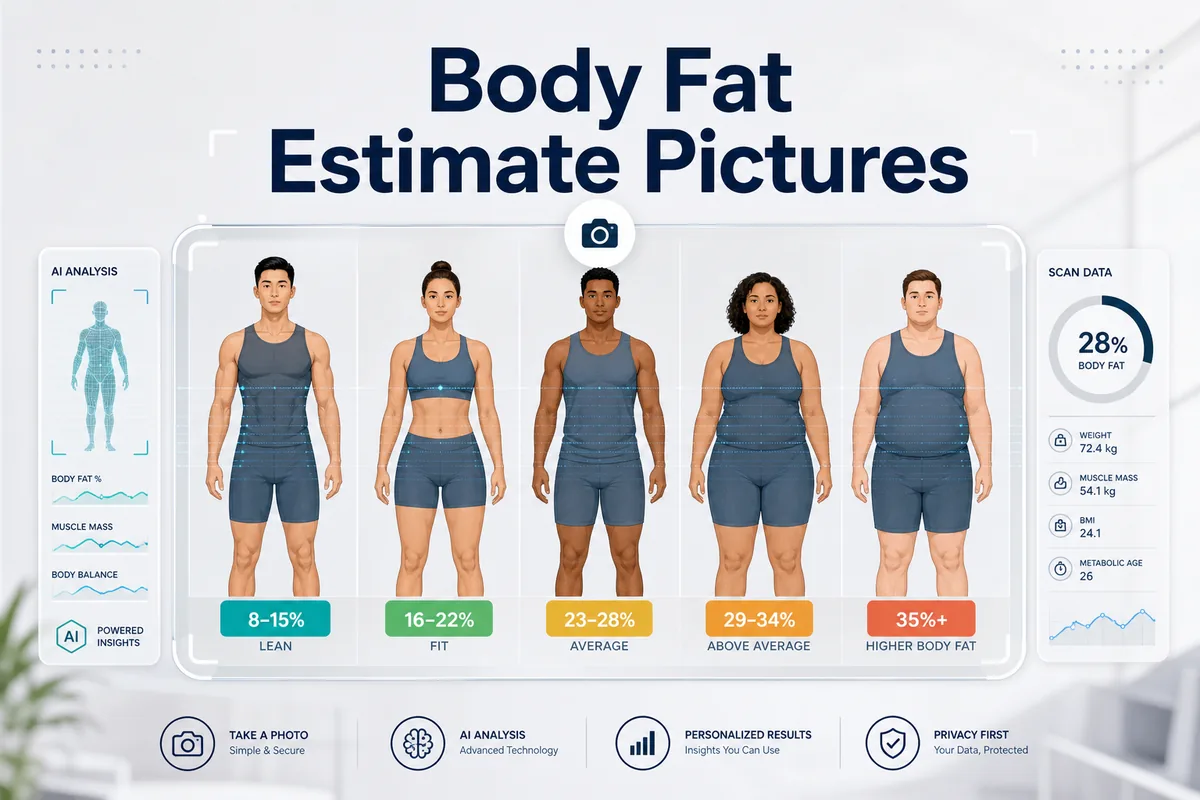
Table of Contents
What Is a Body Fat Visualizer?
A body fat visualizer is a comparison guide that shows how different body fat percentage ranges tend to look on real bodies. People usually search for it when they want to understand whether they look closer to athletic, fit, average, or higher body fat ranges without relying only on scale weight.
The useful part of a visualizer is pattern matching. It helps you compare waist shape, abdominal definition, arm and shoulder separation, lower-back fat, leg definition, and how much muscle outline remains visible in a relaxed pose. That is different from a formula that calculates body fat from measurements.
The limitation is that no visualizer can see tissue directly. Muscle mass, posture, water retention, genetics, and camera angle can make two people with the same percentage look different. That is why a body fat percentage visualizer should guide judgment, not replace professional measurement or clinical advice.
Best use case
Use a body fat visualizer to narrow yourself into a realistic range, then check progress over time instead of treating one visual comparison as a final answer.
How to Use a Body Fat Visualizer Correctly
A visual guide is only as useful as the photo or body view you compare against it. If you compare a flexed gym selfie with a relaxed reference chart, the range will be misleading from the start.
Use these comparison rules
- Match the pose: compare relaxed photos to relaxed examples, not flexed or heavily posed physiques.
- Match the sex and body type: male and female ranges look different, and muscular builds usually appear leaner at the same percentage.
- Use similar lighting: harsh shadows can create false definition while flat lighting can hide muscle shape.
- Look beyond abs: waist, lower back, chest, arms, hips, and thighs all help you judge the range more accurately.
- Think in ranges: a realistic answer is usually something like 18-22%, not a single exact number.
If you want the visual comparison to stay useful over time, repeat photos in the same room, clothing, distance, and time of day. Consistency matters more than taking a dramatic-looking photo.
Male and Female Body Fat Visual Ranges
A good body fat visualizer separates men and women because healthy and common body fat ranges are not the same. It also explains what visible traits usually define each group instead of only listing percentages.
| Range | Men: common visual signs | Women: common visual signs | Best use |
|---|---|---|---|
| Athletic / very lean | Clear abs, visible obliques, strong arm and shoulder separation. | Lean waist, visible tone in arms and legs, athletic but not stage-lean look. | Useful for athletes, photo comparisons, and advanced fitness tracking. |
| Fitness / lean | Some ab outline, defined chest and shoulders, moderate waist softness. | Toned shape, visible leg and waist definition, moderate softness. | One of the most common target ranges for sustainable fitness. |
| Average / healthy | Less abdominal visibility, softer waist, definition visible mainly in good lighting. | Natural curves, softer midsection, less separation in arms and legs. | Useful baseline for people comparing health and lifestyle trends. |
| Above average body fat | Rounder waist, lower-back fat, minimal torso definition. | More fat storage around waist, hips, thighs, back, or arms. | Helpful when screening whether weight change is becoming visually significant. |
If you need a more detailed image-first explanation, compare this page with the body fat estimate pictures guide. If you want a quick tool-based estimate, use the AI Body Fat Calculator.
Body Fat Visualizer vs Body Fat Estimate Pictures
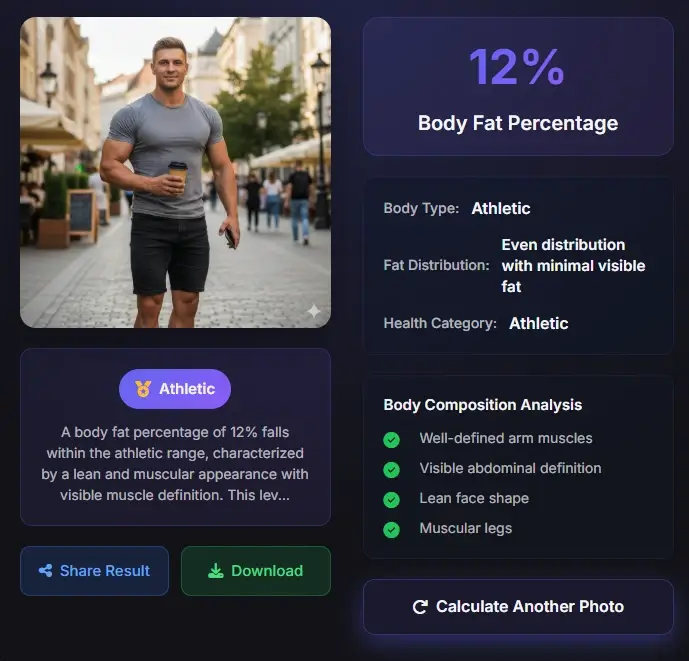
These two searches are related, but they are not identical. One is about comparing yourself to a visual chart. The other is about estimating body fat from an actual photo.
A body fat visualizer is reference-first
It usually starts from known example ranges and helps you ask: which visual range looks most like me? It is best for orientation and quick understanding.
Body fat estimate pictures are photo-first
That workflow starts with your own image and asks whether pose, lighting, muscle visibility, and fat distribution fit a likely range. It is better when you want a more tailored estimate from your own body.
Both work better together
A visualizer can narrow the range, while a picture-based guide or AI tool can help explain why the estimate is 18-22% instead of 14-16%.
Accuracy Limits and Better Comparison Methods
No body fat percentage visualizer should be treated as a diagnosis. It is one layer of evidence. That makes it useful, but only when you understand where it sits compared with other methods.
| Method | Main strength | Main limit | When to use it |
|---|---|---|---|
| Body fat visualizer | Fast way to understand visible body fat ranges. | Cannot measure tissue directly. | First-pass comparison and education. |
| Photo-based AI estimate | More consistent interpretation when photos are taken similarly. | Still depends on image quality and model assumptions. | Tracking progress every few weeks. |
| BMI | Quick height-and-weight screening. | Does not distinguish muscle from fat. | Basic weight-status context. |
| Navy Method | At-home body fat estimate using tape measurements. | Sensitive to measurement technique. | When you want a non-photo comparison. |
| DEXA | More direct body composition assessment. | Requires equipment, cost, and scheduling. | When higher accuracy matters. |
Public health sources such as the CDC BMI FAQ explain why BMI alone does not measure body fat. That is why visual guides can add context, but they still should not be treated as clinical measurements.
Best Workflow for Tracking Body Fat Changes
The most practical approach is to combine a body fat visualizer with repeatable evidence instead of switching methods every week.
A simple repeatable workflow
- Take front and side photos every 2-4 weeks in similar lighting and clothing.
- Compare them to the same body fat visualizer ranges instead of random images on social media.
- Run the same photo through an AI body fat estimate when you want a second opinion.
- Record weight, waist measurement, and training performance so the visual change has context.
- Review trends across 2-3 months rather than reacting to one photo.
If your goal is clearer understanding instead of exact measurement, this workflow is usually more useful than obsessing over one percentage point. Start with the AI body fat calculator, then use the photo estimate guide when the image itself is hard to judge.
FAQ About Body Fat Visualizers
Is a body fat visualizer accurate?
It can be directionally useful, but it is not an exact measurement. It works best for estimating a range and comparing progress over time.
What is the difference between a body fat visualizer and a body fat calculator?
A visualizer is a reference guide that helps you compare visible body fat ranges. A calculator uses inputs such as photos, height and weight, or tape measurements to generate an estimate.
Can men and women use the same body fat visualizer chart?
Not ideally. Male and female body fat ranges look different, so a good guide should show separate visual expectations.
Why do I look different from someone at the same body fat percentage?
Muscle mass, fat distribution, posture, and lighting can all change appearance. Two people with the same percentage can look noticeably different.
What is the best way to estimate body fat from a photo?
Use a clear, relaxed photo, compare it to a realistic visual range, and check it with an AI tool or another method. Treat the result as a range, not a diagnosis.
Final takeaway
A body fat visualizer is best used as a comparison tool, not as a promise of exact accuracy. The most reliable approach is to pair visual ranges with consistent photos and one additional tracking method.
Sources and Further Reading
- CDC BMI Frequently Asked Questions - BMI use and limitations.
- American Council on Exercise: Body Fat Percentage Chart - General body fat percentage category context.
- Cleveland Clinic: DXA Scan - Overview of DXA scanning.